PlexRS services
From quote request to a job your crew can start
PlexRS helps installation and maintenance teams collect the details needed for a quote, handle pricing exceptions and turn a customer-approved quote into a work order. Your crew gets the agreed scope and site details in the tool they use to do the job.
Project fit
When this is useful
This is useful when a manager repeatedly chases missing measurements, rekeys agreed prices into a CRM or answers calls from technicians about what the customer approved. Bring two recent jobs and one that had to be corrected so we can identify which handoff is costing time.
Try the quote-to-job handoff
This interactive example uses sample data. Send an approved quote to the crew’s work queue, or simulate a lost CRM response and retry the same order.
Approved quote Q-1042
Replace the ventilation fan
Unit 3 · Service entrance
- Agreed total
- €480
Crew work queue
No work orders yet.
Before the build
Decisions we work through
Collect enough to quote
Define which measurements, photos or equipment details can be collected upfront. Route requests that need a site visit or a manager’s judgement to the right person.
Agree the price and scope
Apply the current pricing rules and flag exceptions for review. Save the agreed price and scope so a later price-list update cannot change a quote the customer already accepted.
Give the crew a usable work order
Send the approved job details to the CRM or scheduling tool. If the transfer fails, show the manager what happened and let them retry without creating a duplicate job.
Agreed scope
What the work covers
- Paid workflow assessment with a process map, sample jobs, current timings and a review of your existing tools.
- A scoped pilot for one job type, one intake channel and one destination for work orders.
- Acceptance checks for a standard quote, a manual exception and a failed transfer retried safely.
- A before-and-after measurement plan covering time to send a quote, manual re-entry and approved quotes that reach the crew.
What changes the scope
If your current tools already cover the workflow, the assessment can recommend a configuration change. A custom integration is useful when you need rules, approvals or a handoff your tools cannot support. We check who owns the records, API access and failure handling before agreeing the pilot.
Ownership and handoff
Your team receives the workflow map, the agreed rules and instructions for handling exceptions, reviewing failed transfers and maintaining the setup.
Concept evidence
See the product decisions
These examples are interactive concepts and previews that show decisions in design and workflows.
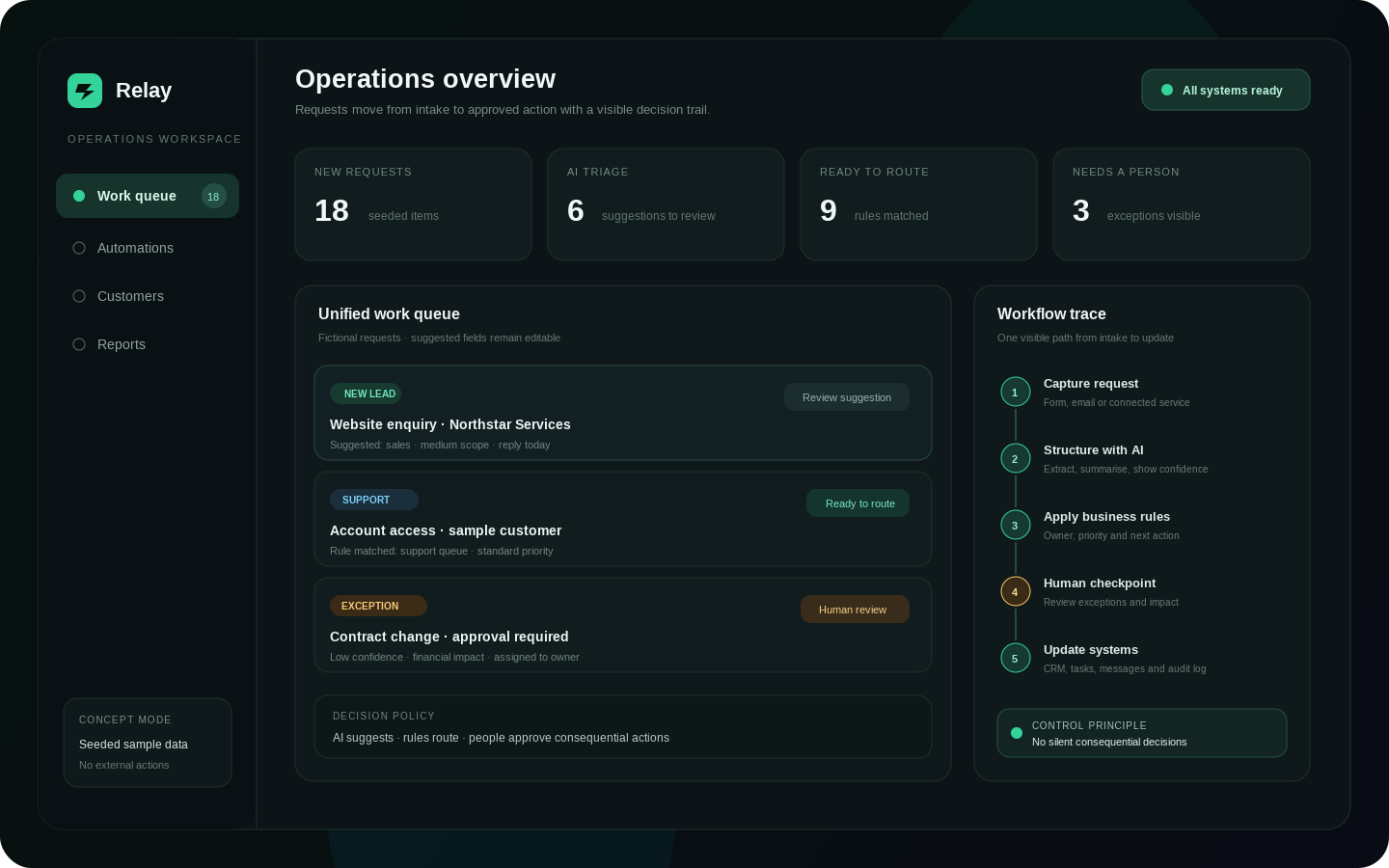
Relay concept
A rendered workflow case study with seeded sample data, explicit decision boundaries and a system flow from intake to approved downstream updates. It is a product concept, not a deployed client system.
Read the case study — Relay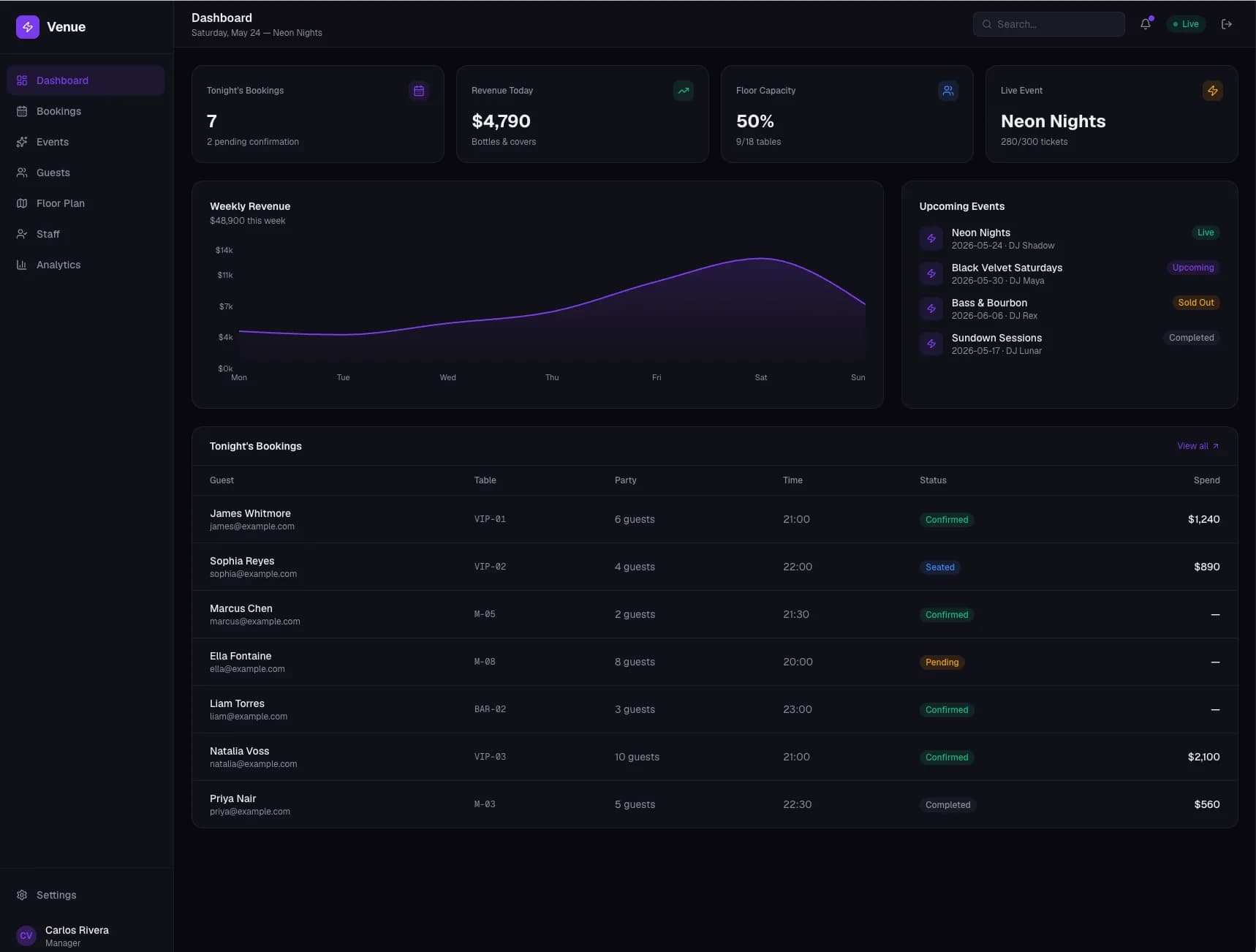
Venue concept
A rendered dashboard concept demonstrating information architecture, CRM, booking, workflow and reporting patterns.
Read the case study — VenuePlanning your project
Common questions
Do we need a new website or CRM?
The pilot can start with an existing website, form, CRM or scheduling tool. We check what it can support and identify where configuration or an integration makes sense.
Can the team keep approving special prices manually?
Yes. A request that falls outside the agreed rules can go to a person for review. The work order uses the price and scope the customer actually accepted.
What should we bring to the first call?
Bring two typical jobs and one exception with customer details removed. Tell us who prepares the quote, who approves it and where the crew receives the job.
Discuss your quoting workflow
Send the business context, the current site or workflow, and the part you want to improve. We will clarify the useful scope and next step.