PlexRS services
Mobile app development for iOS and Android
PlexRS builds React Native apps for customers and staff. We start with a task people need to complete on a phone, such as checking a booking, updating a job from a site visit or opening a customer record. We can connect the app to your existing web application or design the API and permissions as part of the project.
Project fit
When this is useful
For businesses that need a staff app away from a desk or a customer app for frequent use. We review the job the app must do, where users have a connection, which device features matter and what is already available in the web product.
Before the build
Decisions we work through
The first mobile workflow
Choose one complete task and test it on a phone. For field work, define which job details must be visible, which updates a technician can make and what to show if a connection drops.
Data, access and device features
Check which system owns each record, who can read or change it and how the mobile app sees updates. Agree where push notifications, camera access or offline storage are useful.
Distribution and release
Agree the target devices, how testers join and whether the app goes to public stores or an internal distribution channel. Include account ownership, review requirements and the update process in the release plan.
Agreed scope
What the work covers
- Mobile workflow design and an agreed first-release scope.
- React Native development for the supported iOS and Android devices.
- Agreed authentication, backend or API integrations and error handling.
- Device testing, release preparation and handoff documentation.
What changes the scope
Estimate from the number of workflows, existing API readiness, authentication, device features and release requirements. Offline access changes the scope when staff need to create or edit records without a connection and sync them later.
Ownership and handoff
Agree who owns the code, app-store accounts, signing setup and backend before release. Define who manages updates and support once the app is in use.
Concept evidence
See the product decisions
These examples are interactive concepts and previews that show decisions in design and workflows.
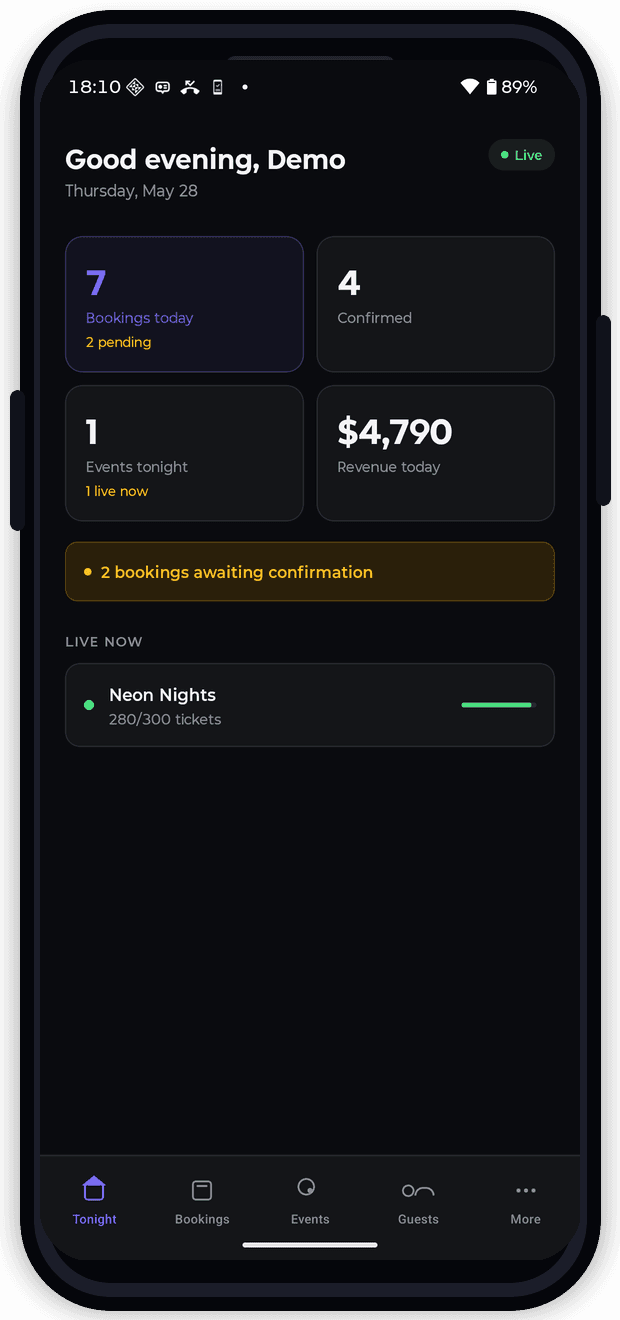
Venue Mobile concept
A React Native Android concept build and a documented screen set. It demonstrates mobile product direction; it is not presented as deployed client software.
Read the case study — Venue Mobile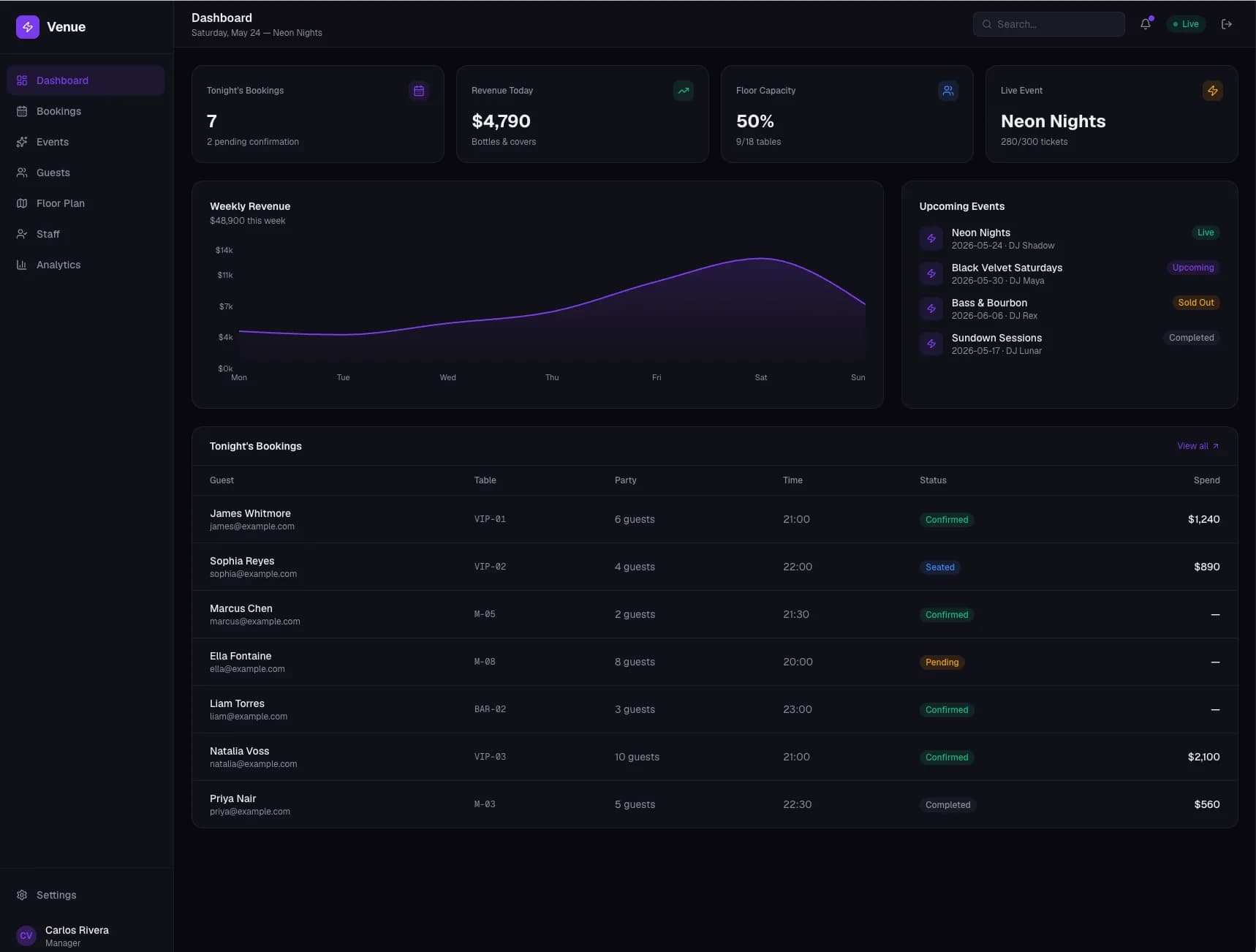
Venue concept
A rendered dashboard concept demonstrating information architecture, CRM, booking, workflow and reporting patterns.
Read the case study — VenuePlanning your project
Common questions
Can one React Native project support both iPhone and Android?
React Native can share much of the interface and logic across iOS and Android. We still test platform-specific behavior such as permissions, notifications and the way each version is distributed.
Should we start with a mobile app or a responsive web app?
A responsive web app is often a practical starting point for occasional tasks or access by link. A mobile app makes more sense when repeated tasks, device features or a defined offline workflow justify installing it. We compare the options around the actual use case.
Can the app work with our existing backend or CRM?
We check the available API, roles and source of truth. A useful first test is to read one real record and agree how an update from the phone is validated, saved and displayed to the rest of the team.
Does development include app-store release?
Store preparation and submission can be included in the agreed scope. The owner supplies the relevant developer accounts, and the stores handle review and approval.
Discuss your mobile app
Send the business context, the current site or workflow, and the part you want to improve. We will clarify the useful scope and next step.